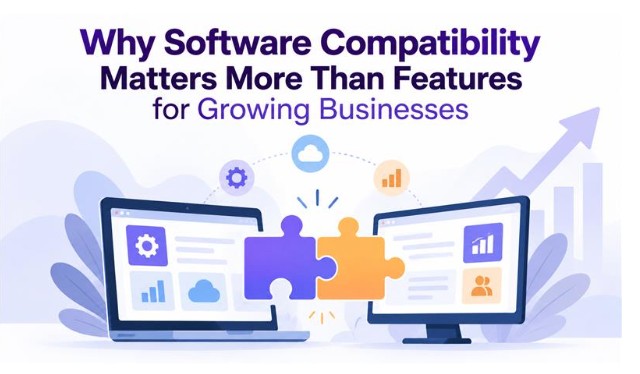
Why Software Compatibility Matters More Than Features for Growing Businesses
 Top Software Advisor
 Reading Time : 5 Minutes
Software compatibility can matter more than a long list of features for growing businesses. Compatible tools work together reliably, reduce conflicts and downtime, support security updates, and make it easier to scale with new integrations. By checking technical requirements, integration support, staging environments, vendor support, and existing software conflicts before buying, businesses can build a more stable and cost-effective technology stack.
An online shop adds a new popup tool. It has forty features and a great dashboard. Two days later, the checkout button dies. Nobody knows why.
If you've run a growing business online, you've lived this. It's not bad luck. It's not you. It's website compatibility — how well your tools actually get along — and it matters way more than whatever's on the sales page.
Basically, a tool incompatible with your stack gives you errors, security holes, and downtime. A feature you can’t use safely is worth nothing. So, check software compatibility carefully.
What "Compatibility" Means
Different programs run side by side without breaking. That's what compatibility means. Your OS, browser, plugins, databases, third-party integrations — all of it falls under that umbrella.
Compatible tools pass data back and forth without issues. They survive updates. With incompatible ones, one patch can make everything fall apart.
Why People Buy on Features
Features are easy to compare. That's why people buy them. A table full of checkmarks looks like value. Compatibility takes actual digging. It's tedious and doesn't fit neatly on a comparison chart.
So buyers skip it, and vendors know that. That's why every sales page leads with the feature count — "40 tools in one!" — instead of the boring stuff that actually keeps your site alive.
More features, more code. More code, more conflicts. A plain tool that fits your setup is better than a tool with great features that fights all your existing software.
The Real Cost of Website Compatibility Issues
Website compatibility issues rarely announce themselves. A contact form stops sending emails. A layout shifts on one phone model. Pages crawl for no obvious reason. Owners often assume they made a mistake. Usually, two tools disagree.
Time Your Team Doesn’t Have
Small teams wear too many hats already. Chasing a conflict means dropping real work. A bad plugin update can hold up a campaign launch for days. Developers end up patching instead of building. Those hours pile up over a year.
Security Gaps
Old software invites trouble. Say one tool depends on an outdated version of another. Updating either one becomes risky. Attackers scan the web for exactly these unpatched components. Regular updates protect a business, but only when updates don’t break anything.
Lost Customer Trust
Visitors judge a company by how its site behaves. A page that breaks in Safari loses a sale. A mobile menu that won’t open sends people to a competitor. Google’s guidance on page experience stresses speed and stability, so weak performance can also hurt search visibility.
A Common Example From WordPress
WordPress sites make this painfully obvious. A typical setup includes a theme, a page builder, and a dozen plugins — all built by different developers who've never met. When one updates, another breaks.
Why Layered Setups Break
Plugins often load their own scripts and styles on the same page. Two of them may rely on different versions of the same library. The browser picks one. The other silently fails. Nothing looks broken until a visitor clicks.
The Elementor Loading Problem
Elementor users run into this often. The editor hangs on a loading screen and never opens. Likely causes include plugin conflicts, low PHP memory, and mismatched versions. There's a solid walkthrough on how to fix Elementor editor not loading if you're stuck in that particular nightmare. The bigger lesson applies to any layered system. Parts that don’t agree will eventually break.
How Compatibility Supports Growth
Scaling Is Easier
Growth brings more traffic, products, staff, and integrations. Compatible systems take that in stride. Adding a CRM or a new payment gateway becomes routine work. Without compatibility, each addition risks breaking something that already works.
Lower Total Cost
A cheap or feature-packed tool can turn expensive fast. A cheap tool gets expensive fast — custom fixes, emergency support calls, migrations. They all add up. Compatible software trims those bills. So, compare tools by what they cost over several years. The monthly price tells you very little.
Where Features Still Matter
Features count, just later in the process. Start by filtering out tools that don’t fit your stack.
Next, compare features among whatever remains. Now your shortlist is shorter — and honestly, the final call almost makes itself.
Checking Software Compatibility Before Buying
Understand the Technical Requirements
Look at what they support — your OS, browser, PHP and database versions, API access — and be honest about whether any of it clashes with your setup.
Also, see how often the vendor ships updates. Stale software is a red flag.
Look at Integration Support
Native integrations with your current tools? Strong sign. Open APIs and webhooks? Also good. Clear documentation usually reflects a well-run product.
Test in Staging First
Never install on live. Clone the site to a staging copy instead. Run checkout, forms, and logins there. Look through the logs for errors, time the pages, then publish.
Check Reviews and Support History
Search user forums for conflict reports. Notice how fast the vendor answers bug tickets. Slow replies today often mean slow fixes later.
Stop Breaking Your Own Site
- Write down every tool and its version.
- Only update one component per change.
- Back up first, change later.
- Remove plugins nobody uses.
- Set up downtime and error alerts.
These are all important.
Conclusion
Feature lists sell software. Compatibility keeps it running. Pick tools based on compatibility with your stack. Test them before launch. Update with care. A stable setup may look dull. It will still outlast an exciting one that breaks every month.
Share this blog: